 Offer Sorter
Find the offers that pay more.
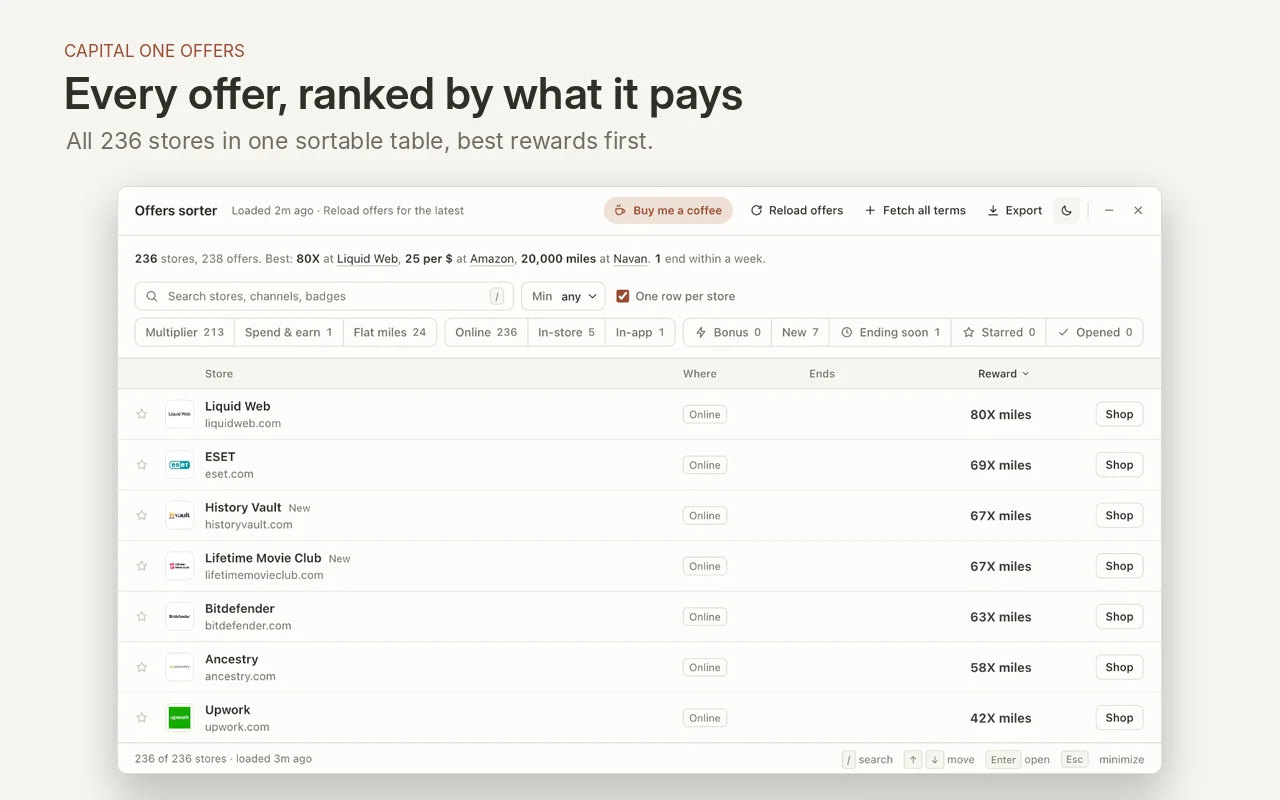
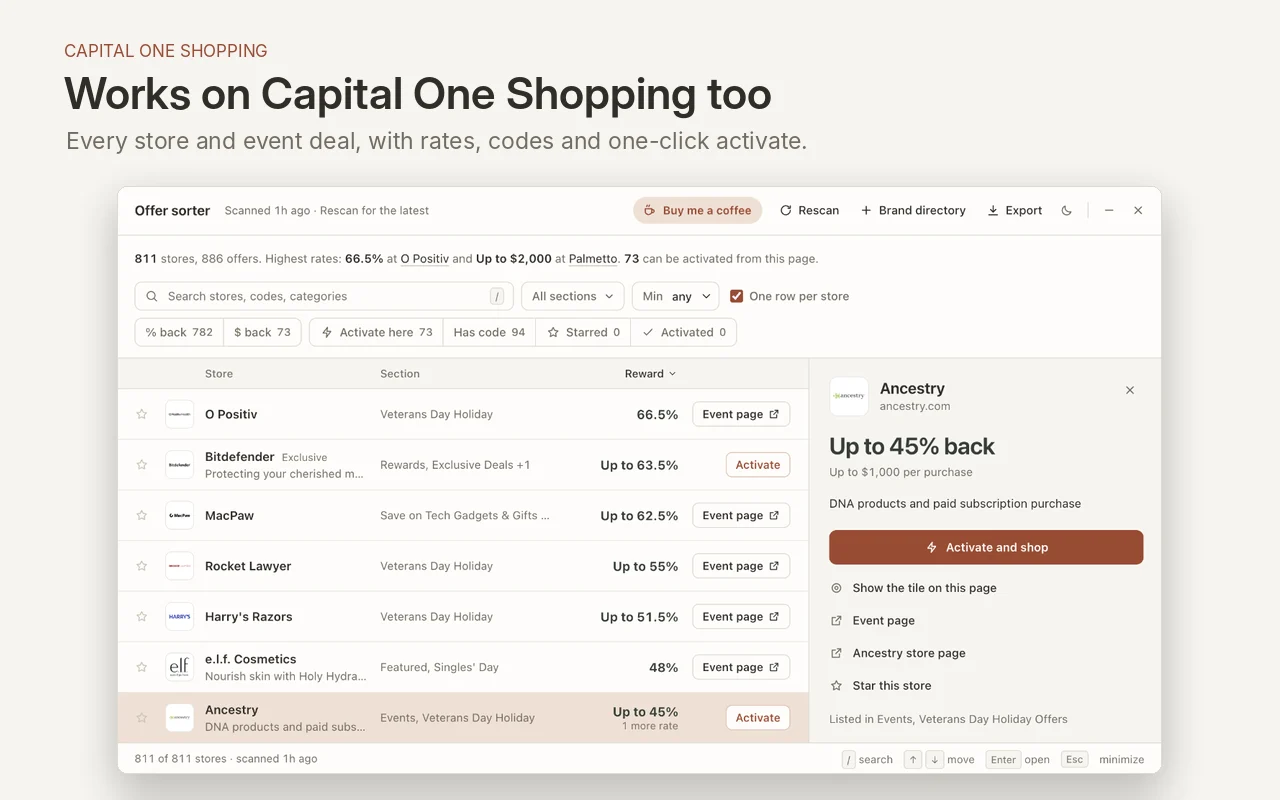
Sort and filter Capital One Offers and Capital One Shopping deals in one table. See the reward and read the terms before you shop.
Free desktop extension. Firefox approval pending.
See it in action.
Explore the ranked list, filters, and offer terms on both Capital One sites.
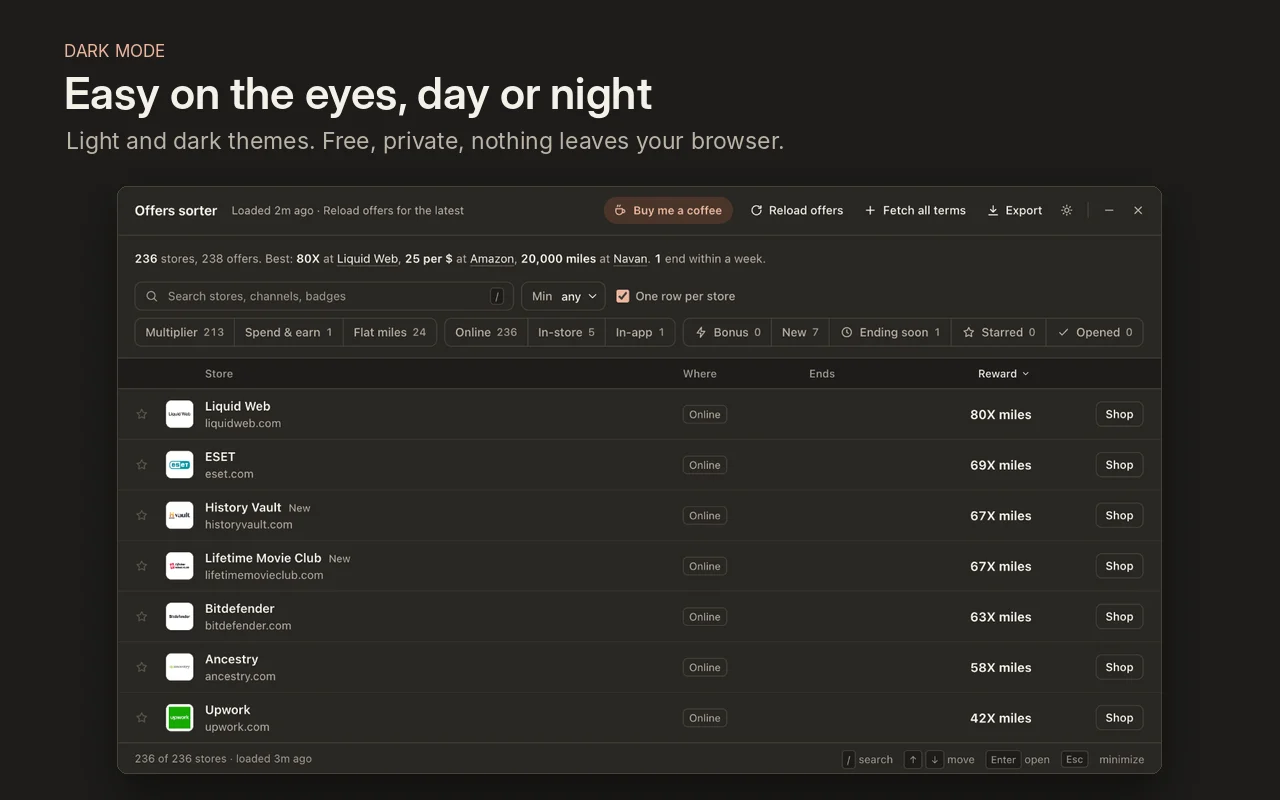
Sort, filter, and compare.
Rank by reward
Sort multipliers, flat miles, cash back, and spend-and-earn offers.
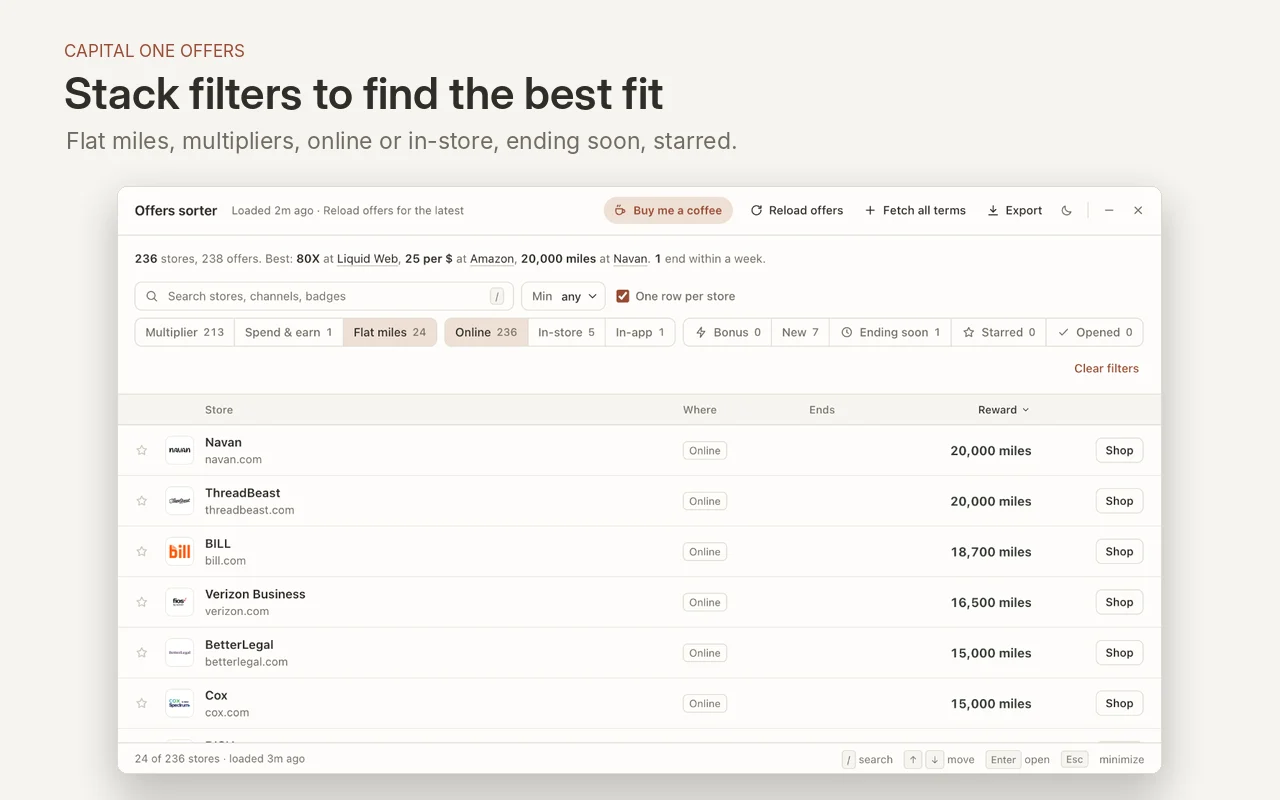
Combine filters
Narrow the list to online or in-store offers, bonuses, codes, or deals ending soon.
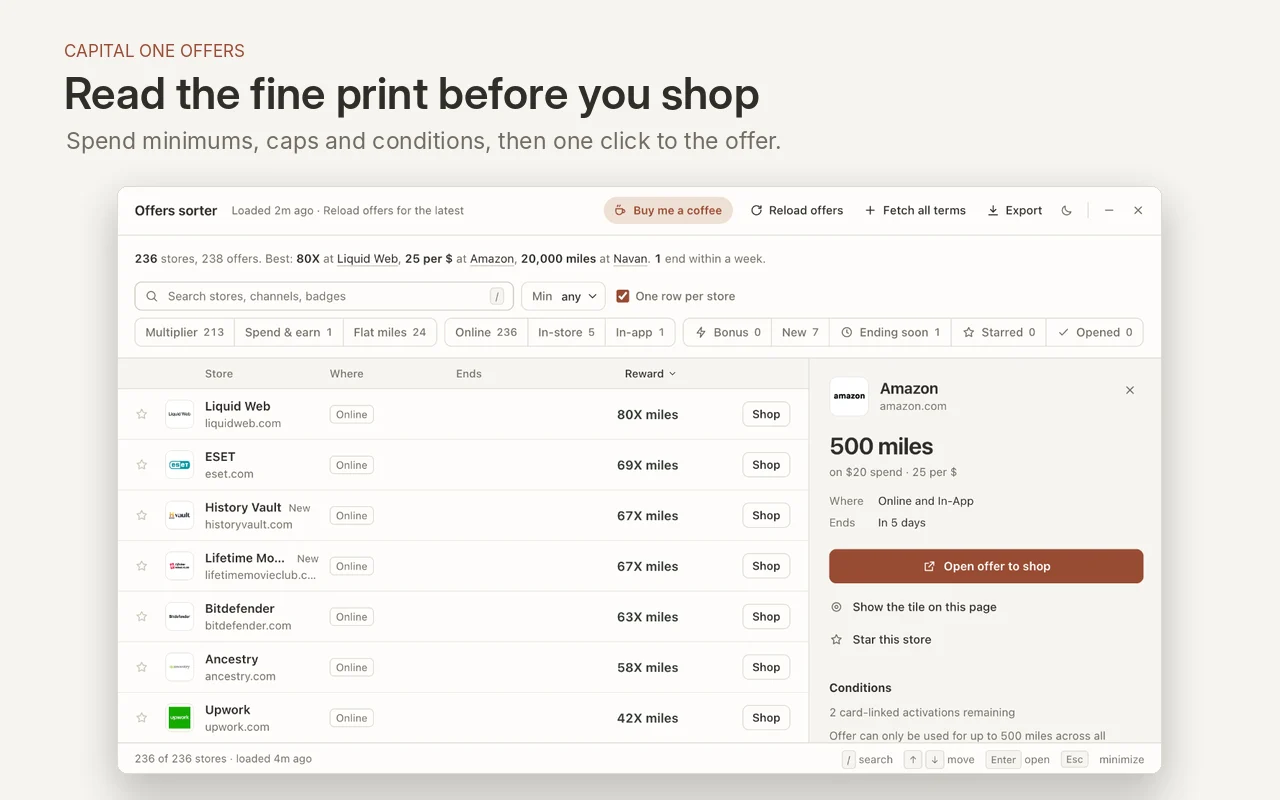
Read the terms
Check category rates, spending minimums, and exclusions before you shop.
Open the offer
Jump straight to the offer on Capital One to activate it or start shopping.
Save your shortlist
Star stores, see which offers you’ve opened, or export the list to a spreadsheet.
Switch themes
Use light or dark mode and control the sorter with keyboard shortcuts.
How it works.
Sign in
Open Capital One Offers or Capital One Shopping and sign in as usual.
Open Offer Sorter
Click the extension in your toolbar. It loads the offer feed one page at a time.
Pick an offer
Sort, filter, read the terms, then open the offer to activate it.
Install Offer Sorter.
Free to use on a desktop browser.
Chrome, Edge, Brave, and Arc
Open Chrome Web StoreAfter installing, pin the extension or open it with Alt + Shift + O.
Firefox
Approval pending
Loads one page at a time
If Capital One asks the extension to slow down, it keeps the offers it has loaded and stops. You can retry once the wait ends.
Runs in your browser
Offer Sorter has no account or analytics. It only runs on the two supported Capital One sites when you open it. Read the privacy policy.
Questions.
Is it really free?
Yes. There’s nothing to buy and no account. If it saves you money and you’d like to say thanks, you can buy me a coffee.
Is it safe to use with my Capital One account?
Offer Sorter only reads the offers already shown to you and opens the same pages you could open yourself, one at a time. It never activates an offer, makes a purchase or changes anything in your account; you do that yourself, on Capital One’s own buttons. It doesn’t see or store your card number.
Why did it stop loading partway?
Capital One sometimes limits how quickly pages can be loaded. When that happens, Offer Sorter stops on purpose, shows everything it loaded so far, and tells you when it will try again. Wait for that time, then use Reload.
Does it work on my phone?
Offer Sorter runs on desktop browsers. You can browse the screenshots on your phone.
Is this made by Capital One?
No. Offer Sorter is an independent tool by Barakit. It is not affiliated with, endorsed by or sponsored by Capital One.
Something isn’t working. How do I get help?
Email [email protected]. If the panel shows “The sorter hit a problem”, its Email support button fills in the technical details for you, with nothing about your account.